Activate 10 Gbit/s internet speed with XGS router
You've ordered a 10 Gbit/s internet connection and received an XGS router (e.g. FRITZ!Box 5690 XGS), but your devices only reach 1 Gbit/s? This is because the WAN port is not configured as a LAN port by default.
How to activate the 10 Gbit/s speed
1Open FRITZ!Box interface
Open your browser and enter: fritz.box or 192.168.178.1. Log in with the FRITZ!Box password (back of the router, under FRITZ!Box password).
2Navigate to network settings
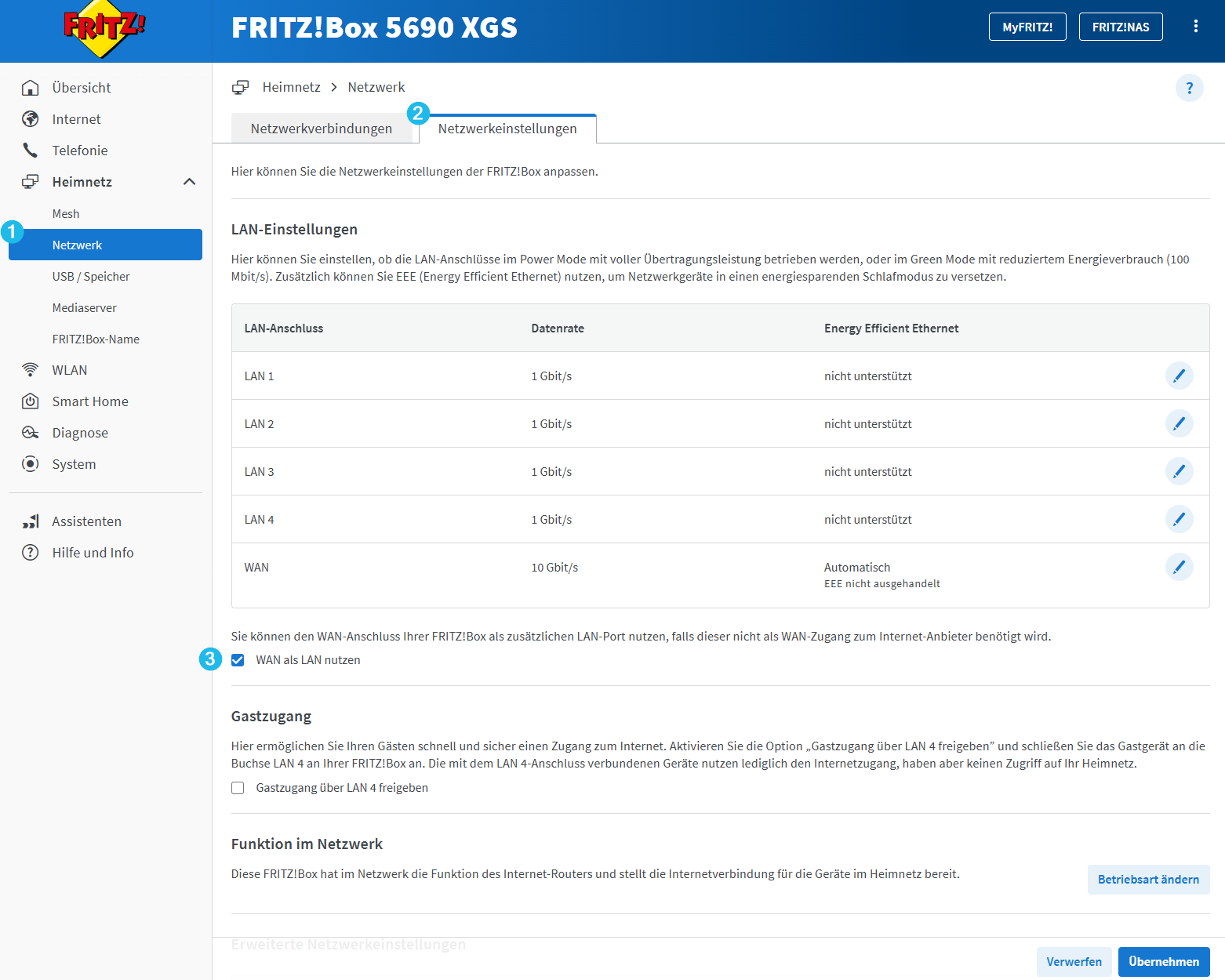
Click on "Home Network" in the left menu, then select "Network", then click the "Network Settings" tab (Tab 2).
3Activate WAN as LAN
Scroll down to "LAN Settings", find the "WAN" row in the table (last row), check "Use WAN as LAN" and click "Apply".
4Connect your device
Connect your device (PC, Mac, NAS etc.) with a 10 Gbit/s-capable network cable (Cat 6a or Cat 7) to the WAN port of the FRITZ!Box. Make sure your device also supports 10 Gbit/s Ethernet.
✓ Done!
Your device can now utilise the full 10 Gbit/s speed.
For any questions: www.teleboy.ch/en/contact
Was this article helpful?
That’s Great!
Thank you for your feedback
Sorry! We couldn't be helpful
Thank you for your feedback
Feedback sent
We appreciate your effort and will try to fix the article